
Leave Google Analytics without starting from zero.
Vireo is a free WordPress plugin that brings your old numbers with you. Then it puts the searches that found each post on that post's stats screen, and shows how much AI assistants take from your site against the readers they send back.
No cookies, no consent banner. Your visitor data stays in your own database.
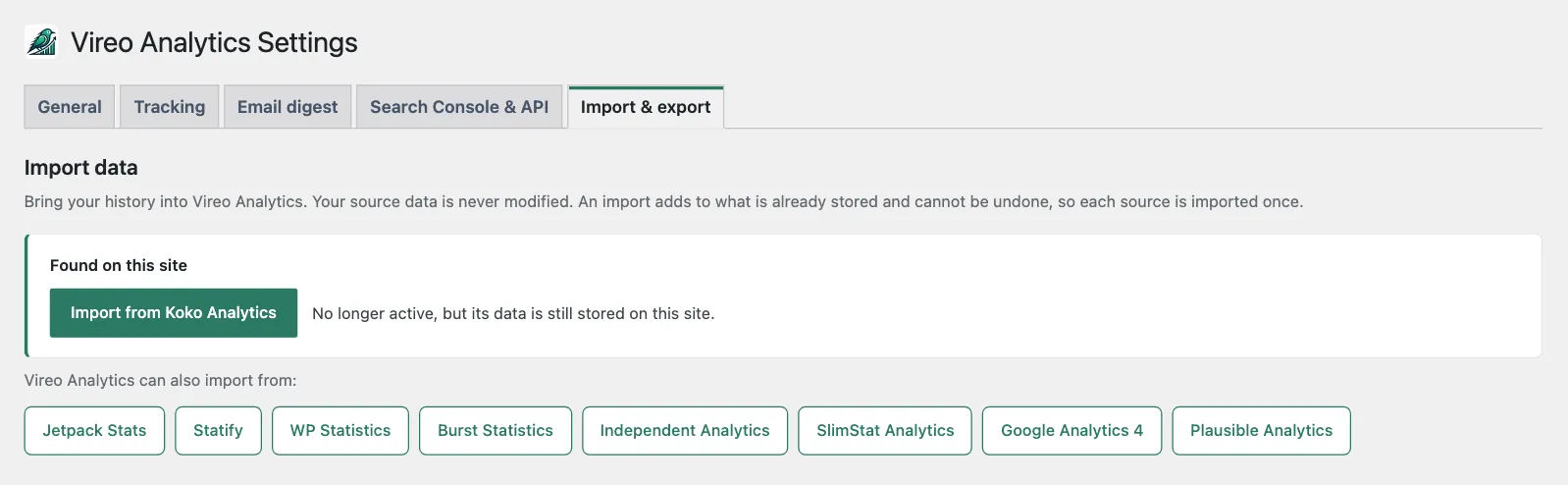
Bring your history from
- Google Analytics 4
- Jetpack Stats
- Koko Analytics
- Statify
- WP Statistics
- Burst Statistics
- Independent Analytics
- SlimStat Analytics
- Plausible Analytics
Your daily pageviews and top pages carry across, so your charts don't start on the day you switched. What each source brings.
See what people searched before they landed.
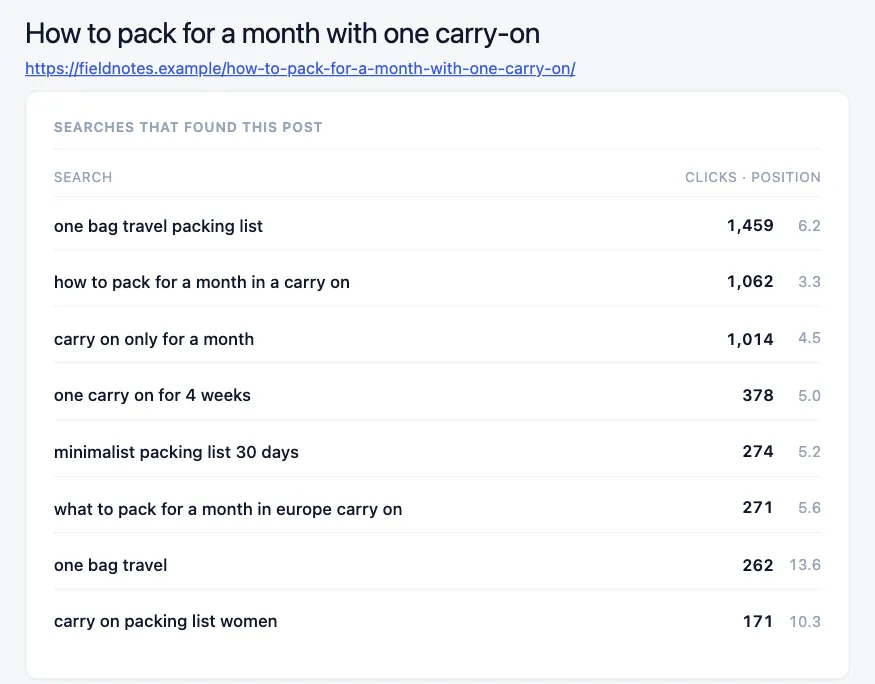
Google stopped passing search terms to websites in 2013, so analytics plugins see a visit from Google and nothing else. Connect Search Console once and every post's stats screen lists the searches it appeared for, with clicks and average position beside each one.
A search where the post already gets clicks from page two is the one to work on next. The search term tells you what the reader came for.
What AI takes, against what it sends back.
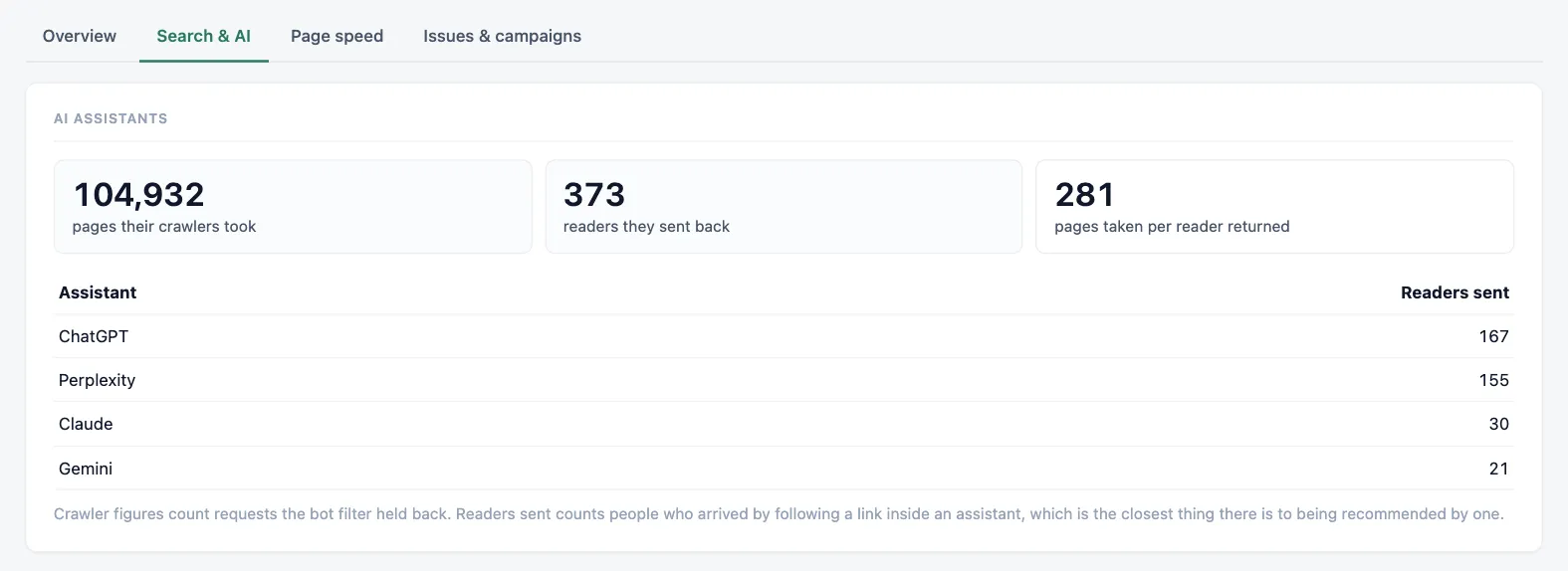
ChatGPT, Claude, Gemini, Perplexity and Copilot show up as their own traffic source. Next to the readers they send, Vireo counts the pages their crawlers fetched, so you can see the ratio for your site rather than guess at it. Which AI crawlers it knows.
It works on the history you've already collected, not only from the day you install.
It opens with what moved since last time.
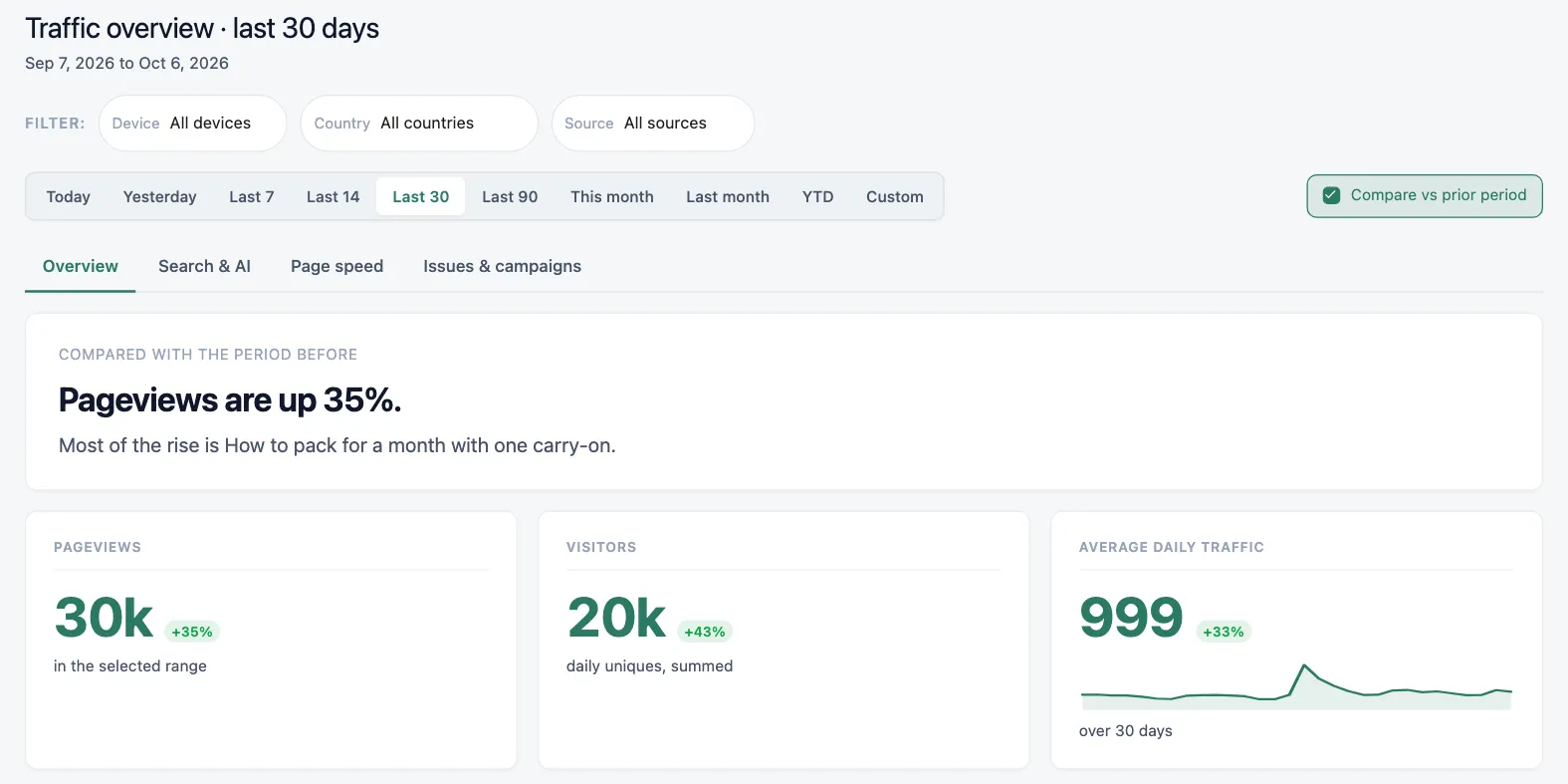
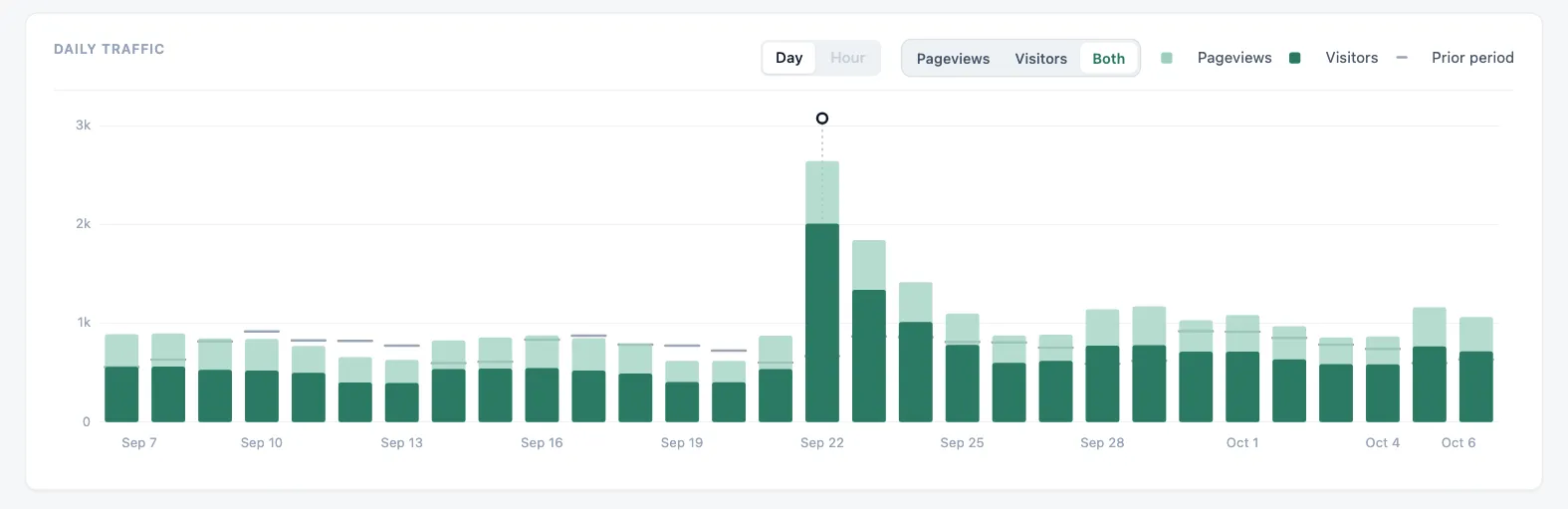
The overview leads with the change since the previous period and the page behind it, and the daily chart draws the period before alongside, so a spike stands out against what normal looked like. Notes pinned to a date keep the reason for a spike next to the spike. Page speed comes from your real visitors, graded the way Google grades it.
Bots kept out, and a count of what it left out.
Over eight hundred known crawlers, uptime monitors, SEO tools and headless browsers are kept out of your numbers. Instead of hiding them, Vireo reports how many it excluded and why, so a lower number than your server logs makes sense. Browse the bot directory.

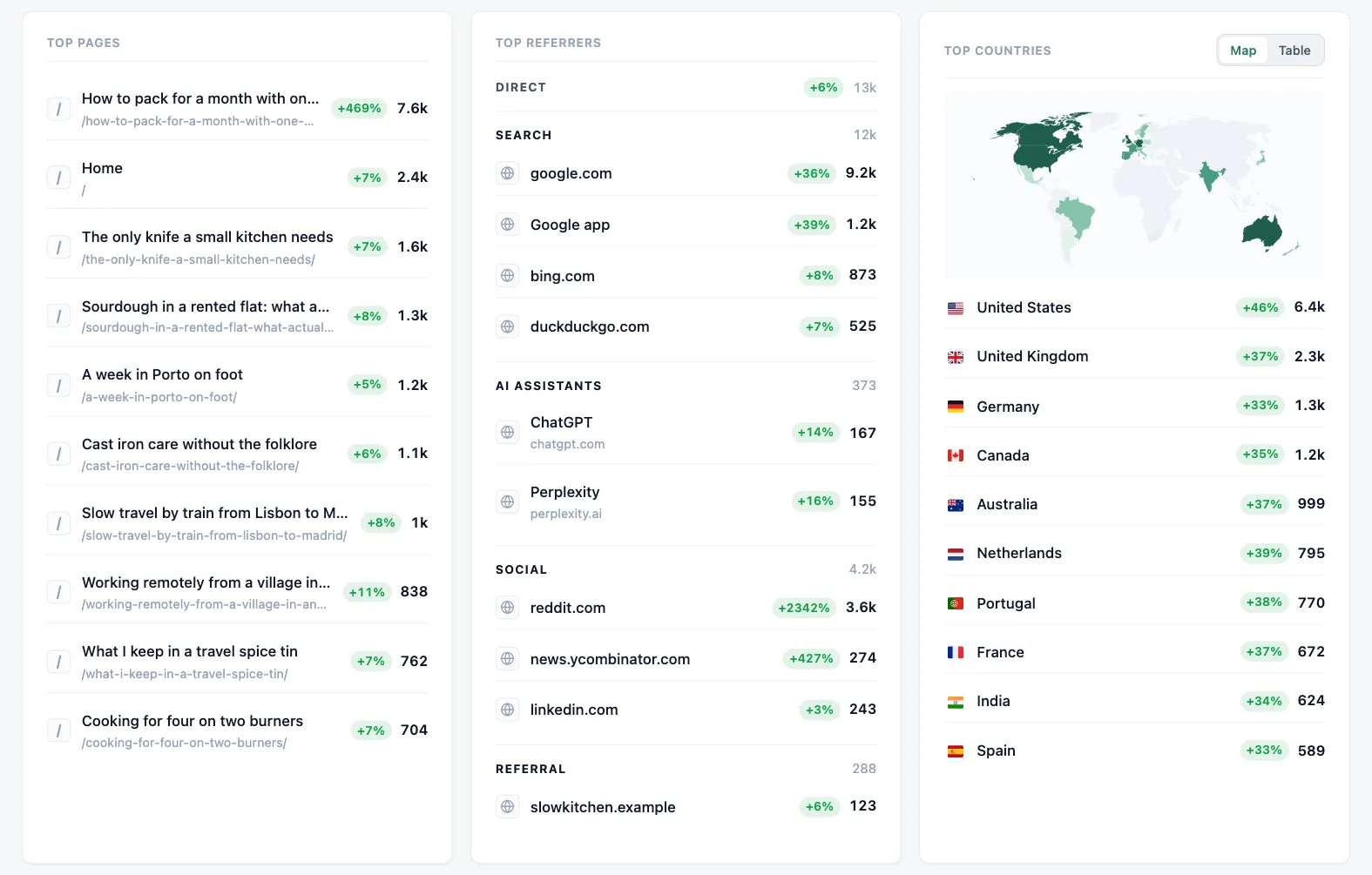
Pages, sources and countries at a glance.
Top pages, referrers grouped by how people arrived, and where in the world they were reading from. Filter the overview by device, country or source to see one slice of your audience.
Import, then keep going.
Vireo spots the analytics plugins whose data is still on your site and offers to import them. Pick a source, press import, and Vireo pulls your history in batches you can watch. It asks before importing a range you've already brought in, so nothing gets counted twice by accident.
Nothing for a consent banner to ask about.
No cookies
Nothing is stored on your visitors' devices. Visitor counts come from a salted hash that rotates every day.
Your database
Visitor data stays in your WordPress database. It isn't sent to Vireo or anyone else.
Do Not Track honored
Visitors who send Do Not Track or Global Privacy Control aren't tracked, with no setting to switch on.
Vireo Pro, for sites that sell.
Pro adds goals and funnels, revenue from WooCommerce, Easy Digital Downloads and FluentCart, a live view, entry and exit pages, and campaign tracking. It's in testing now.
Free on WordPress.org
- Pageviews, visitors and top content
- Google Analytics 4 and Plausible history, plus seven plugin importers
- Search Console per post
- AI assistant traffic
- Real-visitor page speed
- Nine languages